TL;DR: Your first Claude Code skill won’t look like the polished examples you’ve read about. It’ll look like a prompt you’ve typed three times in a row, saved into a
.mdfile. This post walks through that minimum-viable shape with a hypothetical four-line/structure-findingsskill, shows the three things that break when you save it and type the slash command, then compares it to a real seventeen-line production-grade skill from the framework I use day to day. The longer one has more lines because it has older scars.
There are three prior posts on what a skill is — as distinct from a prompt, as an interface contract, and disassembled into thirteen lines. They’re conceptual. None of them tells you how to write your own.
This one does, indirectly.
The honest answer to how do you write your first skill is a recognition. You write your first skill the moment you notice you’ve typed the same prompt three times in a row. The recognition predates the file. Once you’ve named the pattern, the rest is choosing a slash command and saving four lines of markdown.
Suppose you do a lot of research
A common case. You spend time asking the model to digest messy notes: three search-result snippets, half a Slack thread someone pasted, the contents of an issue screenshot. You want to sort the contents into what’s verified, what you’re assuming, and what’s still open. You’ve typed the same instruction three times: split the following into Facts (verified), Assumptions (believed but unchecked), and Unknowns (open questions). Bullet list.
You want to save it. The first version probably looks like this:
# /structure-findings
Take the messy research notes I paste in. Split them into three groups:
Facts (verified knowns), Assumptions (believed but not checked), Unknowns (open questions).
Input: $ARGUMENTS
This is a guess at what your first skill might look like, drawn from a real operation I do constantly.
Four lines. The header is the slash command Claude Code will look for. The middle two lines are the prompt you used to type by hand, now embedded in a file. The last line is a placeholder: whatever follows /structure-findings in the chat gets substituted in.
That’s enough. Run it once and it does the thing.
Then it doesn’t run
Save the four lines to .claude/commands/structure-findings.md. Project-local, relative to where the session was opened. If Claude Code doesn’t find it there, the slash command silently does nothing.
In Claude Code, type /structure-findings followed by your messy notes.
Three things commonly go wrong on the first attempt.
Nothing happens. Usually the working directory isn’t what you think it is — the command file has to be somewhere Claude Code actually looks, and it won’t find it in a sibling directory or some other project on disk. Discovery rules have shifted as commands merged into skills (skills load from the starting directory and every parent up to the repo root; .claude/commands/ has not always behaved the same way), so check the skills documentation for your version rather than trusting mine. Start by confirming where the session was opened.
$ARGUMENTS didn’t get substituted. Check that the body actually contains the placeholder. If it doesn’t, your input isn’t lost: the official skills documentation says that when $ARGUMENTS is absent, Claude Code appends your text as ARGUMENTS: <value> at the end of the content. The model still sees what you typed — it just didn’t land where you wanted it. Argument handling has changed across releases, so check the docs for your version.
It runs, but the result is indistinguishable from typing the prompt by hand. This is the most disorienting failure. Saving a prompt into a file doesn’t make it a skill. The four lines don’t yet specify the shape of the output. If you only say “split into three groups,” the model picks an arbitrary format each time. The remedy is to write the output format into the skill body: three bullet groups, each prefixed with a bold heading: **Facts:**, **Assumptions:**, **Unknowns:**. That clamp, baked into the file, is what makes the skill a contract rather than a saved prompt. Run it twice and you’ll know whether you need to clamp tighter.
The third failure is where most learners discover the actual difference between a skill and a prompt. Reading about it doesn’t substitute.
The same operation, inside a workflow
The framework I use daily is AgentCortex. It has a skill called /research, and the workflow that skill dispatches to does something larger than the four-line example above. But a step inside that workflow looks almost identical to what you just wrote.
The /research workflow asks the model to structure its findings into six categories: Facts (verified), Unknowns (still open), Assumptions (believed but unchecked), Risks (rated high / medium / low), Official References (primary sources consulted), and Next Actions (concrete recommendations). The first three of those are exactly what the hypothetical /structure-findings was producing. The other three accrued over time, each one because of some earlier moment where the absence of that category caused a problem.
What production-grade looks like
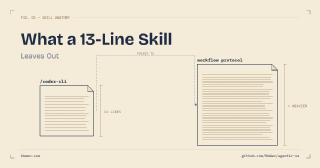
The actual /research skill in AgentCortex is seventeen lines, living at .claude/commands/research.md:
# /research

Execute the canonical workflow: `.agent/workflows/research.md`

## Required reads before execution

1. `AGENTS.md` — global directives (Intent Router, Gate Engine, Sentinel)
2. `.agentcortex/context/current_state.md` — SSoT

## Execution

Follow every step in `.agent/workflows/research.md` sequentially.
The user's task description is: $ARGUMENTS

- This is a research-only workflow. No implementation — only understanding.
- Investigate first, report after. Ground findings in evidence.
- End response with ⚡ ACX.
Compared to the four-line version, three things accumulated.
Required reads before execution. Two files the model must load before doing anything. One holds the project’s global directives; the other holds the current system state. These exist because early on the model would answer in ways that ignored what had recently changed.
Behavioural constraints. The lines about research-only, investigate first, report after, and ground findings in evidence aren’t there because they sound responsible. Each one corresponds to a previous failure mode — the model writing code when only investigation was asked for, declaring conclusions without evidence, jumping ahead of the user.
A pointer to a workflow file. The actual execution logic lives in .agent/workflows/research.md. The skill stays thin because the substance is heavier than a slash-command file should carry. (This dispatcher pattern is a convention specific to my framework, not part of Claude Code — your skill doesn’t have to look like this.)
Every line added between the four-line version and the seventeen-line version corresponds to a moment when something went wrong and a constraint got written down to prevent it.
The next inflection point
A second pattern appears after you’ve written a few atomic skills. Some of them keep running in sequence.
You run /structure-findings on a pile of notes. Looking at the Assumptions block, you ask which of them carry the highest risk if wrong — that’s a second skill, /list-risks. Then you want concrete next steps from the surviving assumptions and the risks — a third skill, /next-actions. Three skills, but they only ever appear in this order, on the same input.
That sequence is a workflow waiting to be acknowledged.
Five of the six categories the /research workflow produces map directly to these three atomic skills (everything except Official References). The path from “three independent skills I keep running together” to “one composed workflow” is short. Workflows usually get recognized after the fact, from repetition, and then formalized.
Start from the annoyed prompt
A pattern across the three posts in this short series: the polished thing wasn’t the starting point. Skills, like other engineered artifacts, have an origin in something simpler than they later look. The path from “I keep typing this” to “I have a skill that does this” is a single afternoon. The path from there to a production-grade dispatcher with required reads and behavioural constraints is a longer arc that mostly happens by accident — a constraint here, a fallback there, accumulated over months of running the thing and watching it fail in slightly new ways.
The implication for someone starting out: don’t reverse-engineer from a mature skill. Reverse-engineer from your own annoyance. Pick the prompt you’ve typed three times this week. Save it. Type the slash command. Watch it not work. Fix it.
One closing reminder. Conventions differ across tools — Claude Code’s official skills docs, OpenAI’s Codex CLI reference, Cursor’s .cursor/rules, and the AGENTS.md convention each express the slash-command-and-contract idea slightly differently. The source-of-truth docs stay current in a way this post won’t.
Agentic OS is open source: github.com/KbWen/agentic-os
Read next
- What Makes an AI Skill Different from a Prompt? — the stack-level framing this post is built on
- What a 13-Line Skill Leaves Out — the previous post, anatomy of one specific mature skill
- Skill Design as Interface Design — the conceptual sibling on contracts