TL;DR: Token counts show up in two places that matter: your API bill, and whether a prompt fits in the context window (how much a model can read at once). The same meaning usually costs more tokens in Chinese than in English, and people are bad at eyeballing either one. Paste text into the token visualizer I built to see the real number.
Two lines on your screen, one in English and one in Chinese, look about the same length. Send them to a model and the Chinese one costs more.
How much more, and why, you can’t tell by looking. Tokens are the unit you pay in, and the unit a model reads in, but they barely track how long a sentence looks.
I won’t re-explain what a token is; plenty of good explainers cover that. This is the practical part: what a given chunk of text actually costs you.
Tokens are the billing unit
Cloud models bill per token, with input and output priced separately (output usually costs several times more than input). So every character you send, and every character the model sends back, is on the meter.
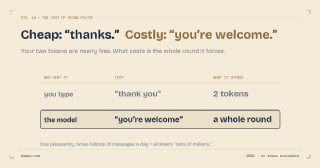
The expensive part is usually the long reply, not what you typed. I put actual numbers on that in does saying thank you to ChatGPT cost anything. And if you let a model run a chain of steps on its own, an agent, it compounds fast: one moderately complex task can burn tens of thousands of tokens just coordinating with itself.
Tokens are also a wall
The context window is a fixed-size container: the most a model can read in one go. Once your input plus the conversation history goes over it, the oldest content drops out of the window, which is one reason AI forgets what you said earlier. (In a chat app the app quietly trims old turns; send an oversized prompt straight to the raw API and you just get an error back instead.)
Chinese costs more tokens than English
Same meaning, more tokens. That’s the quiet tax on writing in Chinese, or any non-Latin script. English gets sub-word compression: a common word like “understanding” is often a single token. Chinese has less of that headroom, so a sentence that looks short on screen adds up heavier than its English equivalent. You’re counting characters; you get billed on tokens.
You can’t eyeball it, so just look
Each model ships its own tokenizer (the rules that chop text into tokens), and they don’t agree with each other. Punctuation, spaces, newlines, a snippet of code you pasted mid-sentence: all counted, and a leading space usually merges into the next token. You can’t reliably do it in your head.
So I built the token visualizer. It just shows you. Paste text; it gives you the token and character count live, then checks it against the GPT, Claude, and Gemini context windows to show how much you’d fill. Scroll down for the colored breakdown, one block per token (always GPT’s tokenizer, so those blocks are exact even when you’re eyeing a Claude or Gemini window). Paste English and Chinese next to each other and the density gap is obvious, which is exactly the thing a command-line counter won’t show you at a glance.
Two caveats so the numbers don’t mislead you. OpenAI models are exact, because it runs the real tokenizer right there in your browser. Claude and Gemini have no public browser-side tokenizer, so those are estimates, good to maybe 10-20%; don’t reconcile a bill against them. And all of it runs locally, so nothing you paste leaves your browser. Pull the network cable and it still works, which means pasting something not-yet-public is fine.
If a prompt actually matters, for the bill or for fitting the window, the reliable move is to paste it in and read the real number before sending.